JSON files are a standard way to store and exchange structured data across applications. CSV files, on the other hand, are widely used for flat, comma‑separated tables and data sets. This article demonstrates how to programmatically transform JSON data into CSV format using Java. You will learn how to convert JSON to CSV in Java with clear steps and a ready‑to‑run code sample.
- Java JSON to CSV Converter - Free Download
- Steps to Convert JSON Data to CSV
- Convert JSON Data to CSV in Java
- Convert JSON to CSV Online
Java JSON to CSV Converter
Aspose.Cells for Java provides a robust API for creating, editing, and converting spreadsheet documents directly from Java code. We will use this library to read JSON data and export it as a CSV file. Download the library from the official site or add it to your Maven project with the configuration below.
<repository>
    <id>AsposeJavaAPI</id>
    <name>Aspose Java API</name>
    <url>https://repository.aspose.com/repo/</url>
</repository>
<dependency>
    <groupId>com.aspose</groupId>
    <artifactId>aspose-cells</artifactId>
    <version>23.4</version>
</dependency>
Convert JSON to CSV in Java
Aspose.Cells enables fast, high‑fidelity conversion from JSON to CSV. Follow these three main steps to produce a CSV file from JSON data:
- Create a new Excel workbook and select the target worksheet.
- Import the JSON content into the worksheet.
- Save the workbook in CSV format.
Below is a complete Java example that implements these steps.
Java Code to Convert JSON to CSV
The conversion process involves the following actions:
- Instantiate a Workbook object.
- Access the first worksheet via Workbook.getWorksheets().get(0).
- Configure a JsonLayoutOptions instance for any custom import settings.
- Use JsonUtility.importData() to load JSON data into the worksheet.
- Export the worksheet to CSV with Workbook.save(string, SaveFormat.CSV).
JSON Data
The sample JSON used in the code snippet looks like this:
[{"nodeId":1,"reputation":1134},{"nodeId":2,"reputation":547},{"nodeId":3,"reputation":1703},{"nodeId":4,"reputation":-199},{"nodeId":5,"reputation":-306},{"nodeId":6,"reputation":-49},{"nodeId":7,"reputation":1527},{"nodeId":8,"reputation":1223}]'
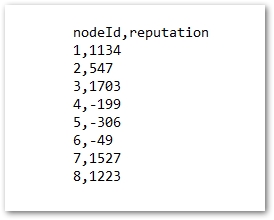
Converted CSV
The resulting CSV file is displayed in the screenshot below.
Convert JSON to CSV Online
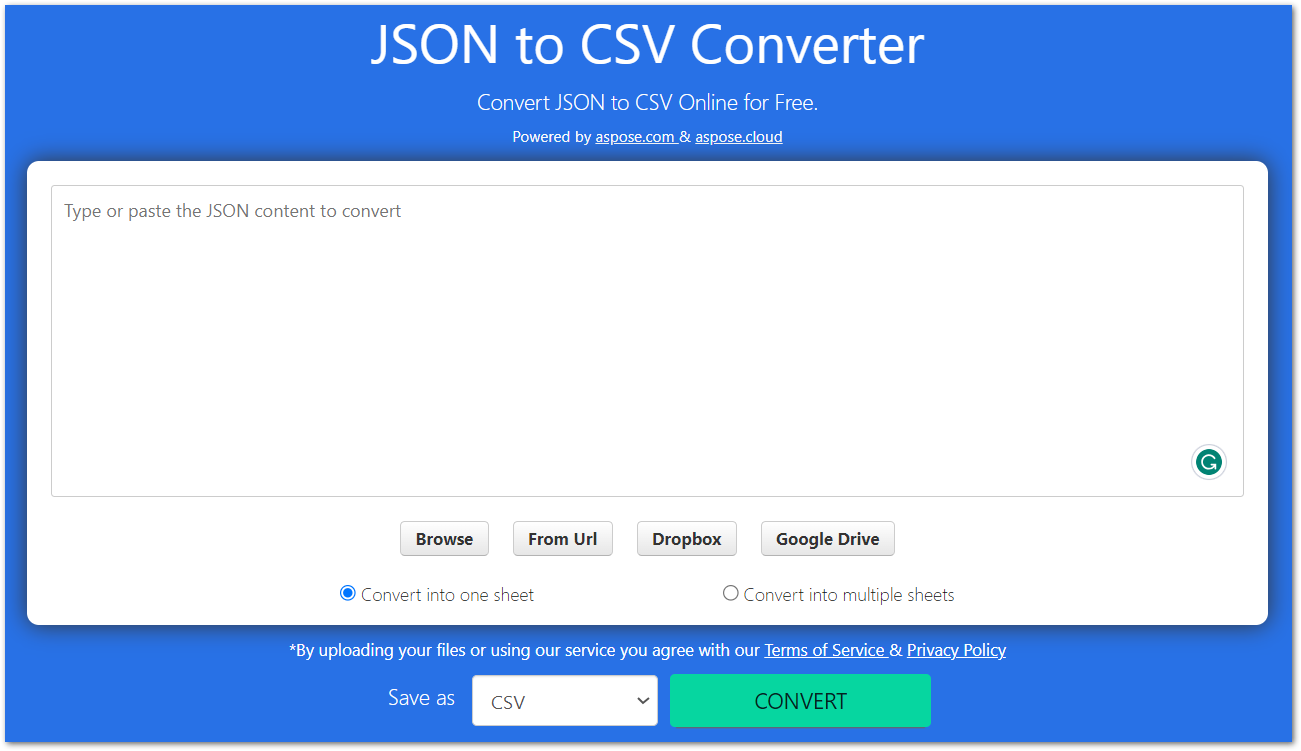
If you prefer not to write code, try our free online JSON to CSV converter. Upload your JSON file, and the tool instantly generates a CSV file you can download.
Free Export JSON to CSV
Obtain a free temporary license to remove evaluation limits and export JSON data to CSV without restrictions. For additional guidance, explore the full Aspose.Cells for Java documentation or ask questions in the forum.
Conclusion
Both JSON and CSV are essential formats for data exchange. When you need to move data from JSON to CSV programmatically, this guide shows how to accomplish the task efficiently with Aspose.Cells for Java. Install the library, integrate the provided code, or use the online converter to streamline your workflow.